July 2, 2026
The best choice is rarely the tool that promises to “write a patent” from start to finish. For the top AI tools for patent generation, start by matching the software to the part of the workflow that actually slows you down: claims, specification drafting, drawings, prior art search, review, or team oversight. If the tool cannot protect confidential invention data and fit your drafting habits, its raw generation speed will not matter much.
A practical shortlist for 2026 should separate drafting copilots from structured drafting platforms and review/search tools. A solo patent attorney who lives in Microsoft Word will not need the same setup as an in-house IP team managing a large portfolio, and a team drafting mechanical cases with many figures will judge value differently from a team handling mostly software disclosures.
Best AI patent tools by workflow
Patent AI tools look similar in demos because most of them mention speed, claims, search, and automation. The differences show up when you ask where the tool sits in the workday: before drafting, during drafting, after drafting, or across the whole patent operation.

| Workflow need | Tools worth checking first | Best fit |
|---|---|---|
| Broad patent operations | Patlytics | Teams that want drafting, search, analytics, and oversight in one environment |
| Flexible drafting and prosecution help | Solve Intelligence | Firms that want AI support without rebuilding the whole drafting process |
| Word-based drafting | DeepIP | Attorneys who draft, edit, and review mostly inside Microsoft Word |
| Structured drafting with drawings | Rowan Patents | Teams that need term, figure, and reference consistency |
| First-draft acceleration | PatentPal, IP Author | Users who already have strong attorney review and want a faster starting draft |
| Review and search | Patent Bots, ClaimMaster, PQAI | Teams that need quality checks or prior art discovery more than full generation |
Patlytics for end-to-end patent operations
Patlytics makes the most sense when patent generation is only one part of a larger problem. If an in-house team wants search, drafting support, portfolio visibility, prosecution-related workflows, and reporting in one place, a broader platform can reduce the handoffs that happen when every task lives in a separate tool.
That broader scope is also the tradeoff. A team looking only for a lightweight claim-writing assistant may find it more platform than they need. Patlytics belongs higher on the shortlist when governance, matter visibility, and repeatable team processes matter as much as a faster first draft.
Solve Intelligence for flexible drafting and prosecution
Solve Intelligence is better viewed as a flexible drafting and prosecution assistant than a rigid patent factory. It can help with claim rewrites, specification language, office action work, templates, and related drafting tasks when you already have some material to work from.
This is useful for a firm that has a reliable drafting method but loses time in the middle: revising claim language, adapting sections for a client’s preferred style, or preparing prosecution text across related matters. The main question to test is whether it saves attorney time after review, not just whether it produces fluent patent-style language.
DeepIP for teams that draft inside Microsoft Word
DeepIP is one of the clearest fits for teams that want a Microsoft Word patent AI tool. That matters because many patent attorneys do not want to leave Word, manage a separate drafting workspace, or copy text back and forth while trying to preserve comments and track changes.
Its value is strongest in a conservative workflow: the attorney keeps control of the document, while AI helps with rewriting claims, generating supporting text, summarizing disclosure material, or cleaning up sections. If your team already has templates, review habits, and support staff built around Word, DeepIP may be easier to adopt than a more structured platform.
Rowan Patents for integrated drafting and drawings
Rowan Patents stands out when the application depends heavily on structure: claim terms, reference numerals, drawings, part labels, and repeated terminology across the specification. Instead of treating drafting as plain text, it gives more control over patent-specific objects and consistency.
That makes Rowan especially relevant for mechanical, electrical, device, and process-based filings where late-stage figure mismatches can waste hours. A quick chat-style tool may feel faster on day one, but a structured environment can pay off when a reviewer needs to confirm that the claims, detailed description, and drawings still line up near filing.
The likely downside is a learning curve. For occasional use, it may feel heavier than necessary. For a team drafting figure-heavy applications every week, the extra structure can be exactly the point.
PatentPal and IP Author for first-draft support
PatentPal and IP Author are useful when the immediate goal is to move from disclosure, notes, or early claims into a workable first draft. PatentPal is often associated with turning claims into supporting patent sections, while IP Author is known for combining draft generation with prior art support.
These tools are not a reason to skip legal and technical review. First drafts can still include awkward dependencies, unsupported claim elements, thin specification support, or figure language that needs cleanup. They are most valuable for teams that already have disciplined review habits and want to reduce the blank-page stage, not remove attorney judgment.
Patent Bots, ClaimMaster, and PQAI for review and search
Some of the most useful patent AI tools do not try to generate the application. Patent Bots and ClaimMaster are better thought of as review tools that help catch issues such as antecedent basis problems, claim numbering errors, reference inconsistencies, and formatting defects.
PQAI sits closer to prior art search. It can help users explore related references with semantic search rather than relying only on exact keywords. For many teams, the strongest setup is a combination: one tool for drafting, one for review, and one for search, instead of expecting a single product to do every patent task equally well.
Key features to check before choosing a patent AI tool
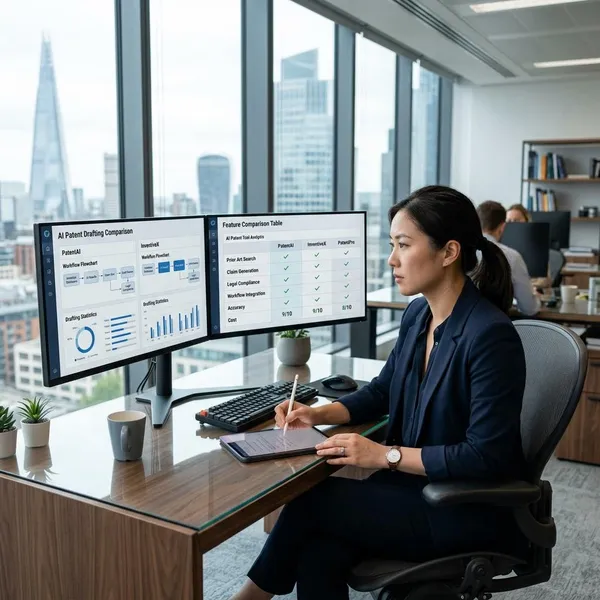
After the shortlist, the next step is not a feature-count contest. Focus on the areas where a weak tool can create real cleanup work: claims, disclosure support, prior art context, template control, security, and workflow fit.
A simple priority order helps. Check security before uploading sensitive material, then test claim quality, then look at specification support and integration. Nice-to-have automation should come after those basics, not before them.
Claim drafting support
Claim support is the first drafting feature to test because weak claims can erase any time saved elsewhere. A useful AI patent claim generator should help create or revise claim sets that stay tied to the disclosure, use dependencies correctly, and make it easy to compare broader and narrower versions.
- Map each element: reviewers should be able to trace claim language back to inventor materials.
- Check dependencies: dependent claims should add real limitations, not filler variations.
- Test rewrites: the tool should support controlled revisions, not only one-shot output.
- Watch for invention drift: fluent wording is a problem if it adds unsupported features.
Specification and figure support
A draft that has claims but thin support is not very useful. Strong patent drafting AI should help expand the disclosure into meaningful specification language, including embodiments, alternatives, definitions, examples, and implementation detail where the source material supports it.
Figure support is a separate check. If a tool can keep part numbers, flowchart steps, and terminology aligned, it may save more time than a tool that merely writes polished paragraphs. For diagram-heavy inventions, ask the vendor to show how figure labels and written descriptions stay consistent after edits.
Prior art search
Prior art search is valuable when it affects drafting decisions early enough to matter. A basic search result list may be helpful, but a stronger patent AI prior art search feature should help connect similar references to the claim concepts being drafted.
For a low-risk internal invention review, broad semantic search may be enough to shape the first conversation with inventors. For a filing decision with budget or enforcement importance, treat AI search as support rather than a substitute for a proper search strategy and professional judgment.
Style and template control
Template control decides whether the output feels usable or like another editing burden. Law firms often have preferred claim phrasing, section order, boilerplate, terminology rules, and client-specific drafting habits. If the AI ignores those preferences, every draft may need a stylistic rebuild.
Ask to test your own template, not a vendor’s best demo template. A good result should look close enough to your normal work product that attorneys spend time making legal decisions, not reformatting headings and rewriting generic patent prose.
Security and data handling
Security should be checked before any confidential invention disclosure goes into a system. Patent teams should ask how data is stored, whether customer content is used for model training, how long materials are retained, who can access them, and what contractual commitments apply.
- Retention: confirm whether uploaded disclosures and drafts are deleted or stored after use.
- Training use: look for clear limits on using customer content to train shared models.
- Access controls: check user permissions, audit logs, and tenant separation.
- Deployment fit: larger organizations may need stricter cloud, private, or regional controls.
If the vendor cannot answer these questions clearly, do not test with your most sensitive unpublished invention. Use sanitized or lower-risk material until the security position is understood.
Workflow integration
Integration is where many promising tools fail. A product may generate good text but still create friction if attorneys have to copy sections between systems, fix broken formatting, or rebuild comments and tracked changes after export.
Trace one matter from disclosure intake to final document. If your team drafts in Word, a Word-based copilot may be the least disruptive option. If your team needs tighter control over drawings, terms, and references, a structured platform may be worth the behavior change.

How to test a patent generation tool safely
A controlled pilot gives better evidence than a polished sales demo. The goal is not to prove that AI can produce patent-like text; it is to see whether the tool improves your actual drafting process without adding hidden risk.
Use real enough material to expose weaknesses, but do not start with the most confidential or highest-stakes invention until security has been reviewed. A moderate software disclosure and a figure-heavy mechanical or device disclosure can reveal very different strengths and weaknesses.
Start with one real drafting task
Pick one representative matter with imperfect source material: inventor notes, rough claims, diagrams, or a short disclosure. Artificial prompts often make tools look better than they are because real patent drafting rarely begins with clean, complete instructions.
For the first test, avoid a case where a mistake would create serious client or business risk. A lower-sensitivity matter is enough to show whether the tool understands the invention, follows your style, and produces something worth editing.
Compare output with your current workflow
The fair comparison is not AI versus a blank page. Compare the tool with the way your team already drafts. If one attorney normally starts in Word from a claim outline, and another starts from a detailed disclosure, test against those habits.
- Time to usable draft: ignore raw generation speed if the output needs heavy repair.
- Editing burden: track claim fixes, support gaps, term cleanup, and figure corrections.
- Review fit: check whether comments, exports, and collaboration still work smoothly.
Check claims against the disclosure
Every claim element should be mapped back to the source disclosure before the pilot is judged successful. AI can introduce confident but unsupported language, and that is more dangerous than an obvious drafting gap because it may look plausible during a quick read.
A short claim chart is enough for this step. Mark each element as supported, unclear, or unsupported. If the tool repeatedly invents details or changes the technical concept, the time saved at drafting may come back as verification work.
Review consistency across figures and terms
Consistency checks should cover terms, reference numerals, drawing labels, flowchart steps, and repeated embodiments. These are small issues, but they often create deadline pressure when they are discovered late.
This is a useful place to compare tool types. A generic assistant may write smoother prose, while a structured patent platform may do a better job keeping terminology and figure references aligned. The better choice depends on which problem your team actually has.
Measure time saved and edits needed
Use a small scorecard instead of relying on general impressions. Score each tool on claim quality, specification support, figure and term consistency, security fit, export quality, and total attorney editing time.
- Run the same task through each tool. Different source material makes comparisons unreliable.
- Use the same reviewer. A stable review standard makes the results easier to trust.
- Record edits by category. Separate claim repairs, support additions, style changes, and formatting cleanup.
- Decide the best role. A tool may be useful for first drafts, review, search, or prosecution support without being your main drafting system.
Conclusion
The safest way to choose is to match the tool to the bottleneck you can actually measure: Word-based drafting, structured drawings, first-draft speed, prior art search, review checks, or portfolio-level oversight. Shortlist two or three tools, test them on the same matter, and keep the one that reduces attorney cleanup without weakening confidentiality, claim support, or consistency.
FAQ
Can AI generate a full patent application?
Yes, AI can generate a full draft, but it should be treated as attorney-reviewed work product, not a ready-to-file application. The main checks are claim scope, disclosure support, terminology consistency, and whether the draft added anything the inventor did not provide.
Which patent AI tools work with Microsoft Word?
DeepIP is one of the most notable Word-centered options. Other platforms may export to Word, but exporting a document is not the same as drafting and reviewing naturally inside Word.
What is the difference between patent drafting AI and patent search AI?
Patent drafting AI helps create or revise application text, while patent search AI helps find related prior art. A combined platform can be useful, but the drafting output and search quality should still be tested separately.
Are AI patent tools safe for confidential inventions?
They can be, but only if the vendor’s contract, security controls, retention policy, and model-training rules meet your confidentiality requirements. If those terms are unclear, test with sanitized or lower-risk material first.